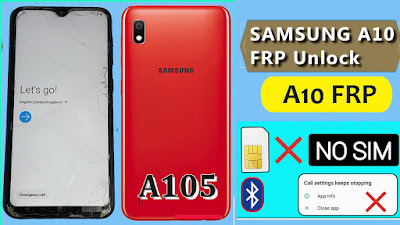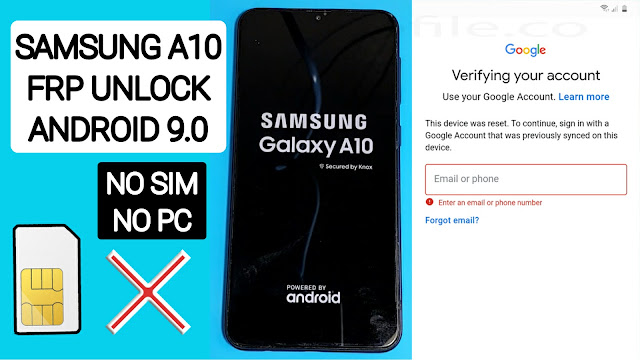
Google has added a security feature (FRP = Factory Reset Protection) to all Android devices. After factory reset process completed, FRP will ask you to verify your account this device was reset, To continue, sign in with a Google account that you was before signed on this phone. This feature is very important and will that have a security to avoid misuse of the device during as theft or lost your Device. Occasionally, at the same time, The users get into trouble when they intentionally forget their Google Account or password credentials after a hard reset.. So, in this tutorial, we have come up with the latest method of BypassFRP Samsung Galaxy A10. If you follow some simple way you can unlock Google Lock Galaxy A10.
How to remove Google Account from Samsung Galaxy A10?
are you looking for remove google account lock Samsung A10. So unlocking it will not be a difficult task for you if you follow the Our correct procedure method, if you can remember your Gmail account, you can easily bypass your Samsung Galaxy A10 FRP Google account, but if you forget your Gmail account to bypass FRP It will be a bit difficult.
Google has added a security feature (FRP = Factory Reset Protection) to all Android devices. After factory reset process completed, FRP will ask you to verify your account this device was reset, To continue, sign in with a Google account that you was before signed on this phone. This feature is very important and will that have a security to avoid misuse of the device during as theft or lost your Device. Occasionally, at the same time, The users get into trouble when they intentionally forget their Google Account or password credentials after a hard reset.. So, in this tutorial, we have come up with the latest method of BypassFRP Samsung Galaxy A10. If you follow some simple way you can unlock Google Lock Galaxy A10.
How to remove Google Account from Samsung Galaxy A10?
are you looking for remove google account lock Samsung A10. So unlocking it will not be a difficult task for you if you follow the Our correct procedure method, if you can remember your Gmail account, you can easily bypass your Samsung Galaxy A10 FRP Google account, but if you forget your Gmail account to bypass FRP It will be a bit difficult.
If you are looking to bypass your Samsung A10, here you can bypass FRP unlock SM-A105F and SM-A105G without Computer without SIM Card. just following my method for unlock A10.
How to remove frp (factory reset protection):
in your Galaxy A01 Core mobile, the FRP Feature will automatically Enable as soon you add a Google account to your Samsung Galaxy A10. If you want remove frp, you just need to delete your account.
How to bypass FRP Samsung A10 With PC
Turn ON your Samsung Galaxy A10
Connect your Samsung Galaxy A10 mobile to your Wi-Fi Then Go back to the Welcome page.
Are you looking for Unlock FRP Samsung A10? If so, then you are in the right now place. in this article, We provided all method that will help bypass google account on your Samsung A10 with and without a computer no need Sim Card.
Factory Reset Protection feature helps you protect your data on your Samsung phones that runs on Android Lollipop 5.0 or above if your phone is stolen or lost so the theft cant access to your phone data, and after a hard reset the phone you must be enter your right GMAIL Account and password to open it. But do not worry, in our method you can Bypass FRP Samsung A10 Android OS 9.0 easily with more than one method
To make your Samsung devices more useful and secure google added a new feature called Factory Reset Protection if your device is lost or stolen, but sometimes the many users forgot the Gmail ID or the password, and once you hard reset your Samsung first thing you need to activate the device is Google Account that was previously synced on this device, to verify that you’re the owner of the Samsung device, so without this account, you can’t access the Phone unless you have this google account.