
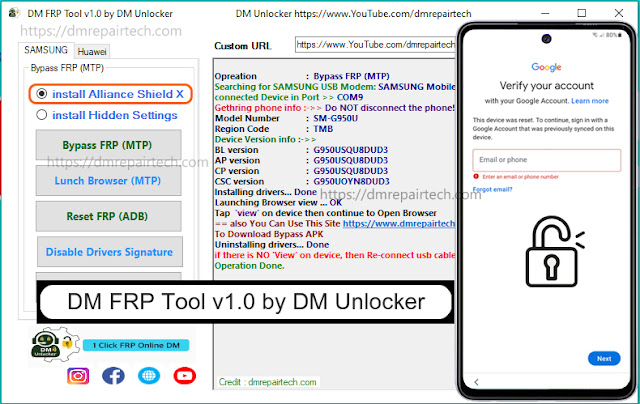
DM FRP Tool V1.0 by DM Unlocker is a small Utility program that you can use to Bypass FRP in MTP mode from Samsung phones. If you have a phone with FRP Google lock message, then follow these simple steps and download DM Frp Tool V1.0 latest setup to fix your phone.
DM FRP Tool specially designed to simplify the process of Bypass FRP Google Account Verification lock from any Samsung Android 12, Android 11, Android 10 Q, Android 9 Pie, Android Oreo, Android 6.0 Marshmallow phones through Chrome Browser. Here, I have given the URLs to download Samsung DM FRP Tool V1, so that you can use to get a “VIEW and CANCEL” popup to access the browser through the YouTube app on your Samsung FRP Phone.
Google has Added a Security's All Android Smartphones. FRP turns On automatically when you have set up a Google Account on your Samsung Phone. After performs the hard reset process, the phone will ask the user to enter the last active Google account which was previously active on the phone. Without doing this, No-one will access the phone. Follow all these steps on How to use Samsung DM FRP Tool V1.0 to unlock the FRP without ADB & Download Mode for free.
Features DM FRP Tool V1.0:
– Install Alliance Shield X
– Install Hidden Settings
– Bypass FRP (MTP)
– Launch Browser (MTP)
– Reset FRP (ADB)
– Disable Drivers Signature
– Device Manager
– Read Info (Fastboot)
– Reset FRP (Fastboot)
– Reboot (Fastboot)
How To Use?
👉Read: All SAMSUNG Android 11 FRP Unlock Free
Read more: All SAMSUNG FRP Unlcok Android 11/12 Online Service


